

How big is the problem?
The scale is large. The FBI's Internet Crime Complaint Center received 149,686 cryptocurrency-related complaints in 2024, with $9.3 billion in reported losses, up 66% on the year before (FBI IC3 2024 report). Not all of that is wallet theft, since much of it is investment scams.
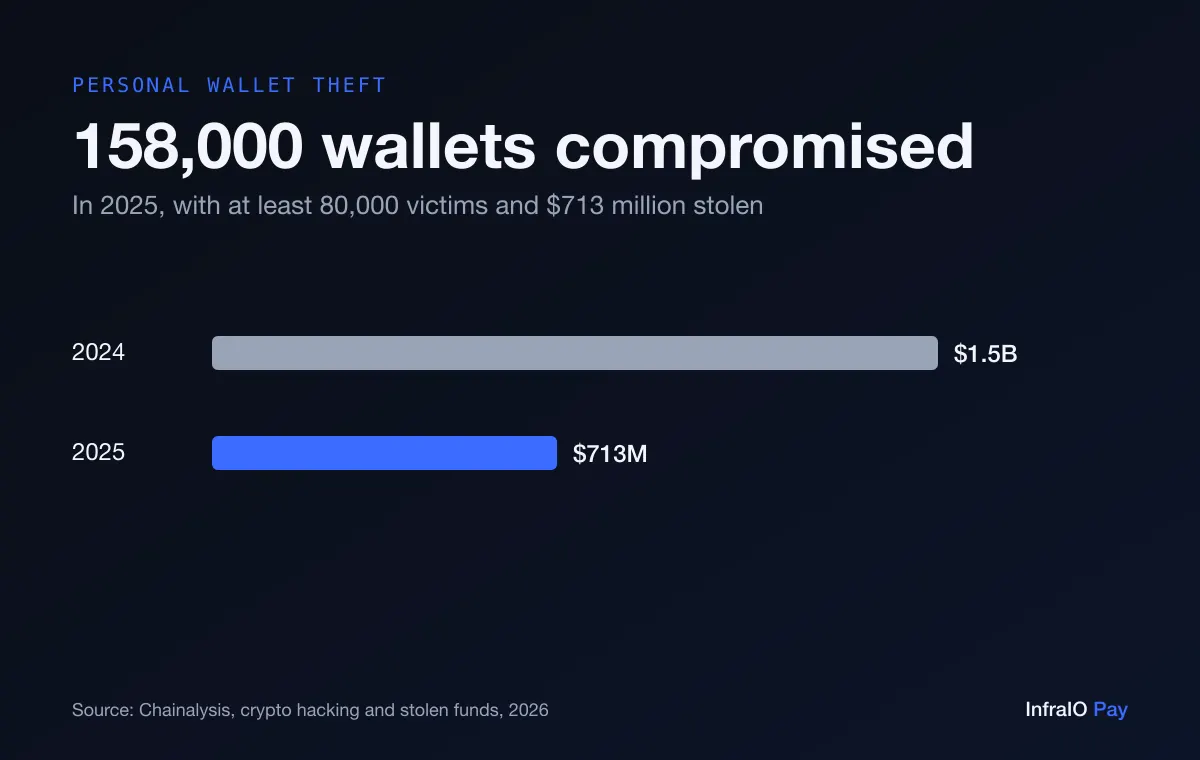
For personal wallets specifically, Chainalysis counted about 158,000 compromises affecting at least 80,000 victims in 2025, with $713 million stolen, down from $1.5 billion in 2024. The report's reading is that attackers are going after more people for smaller amounts each, which is exactly what automated phishing kits are built for.
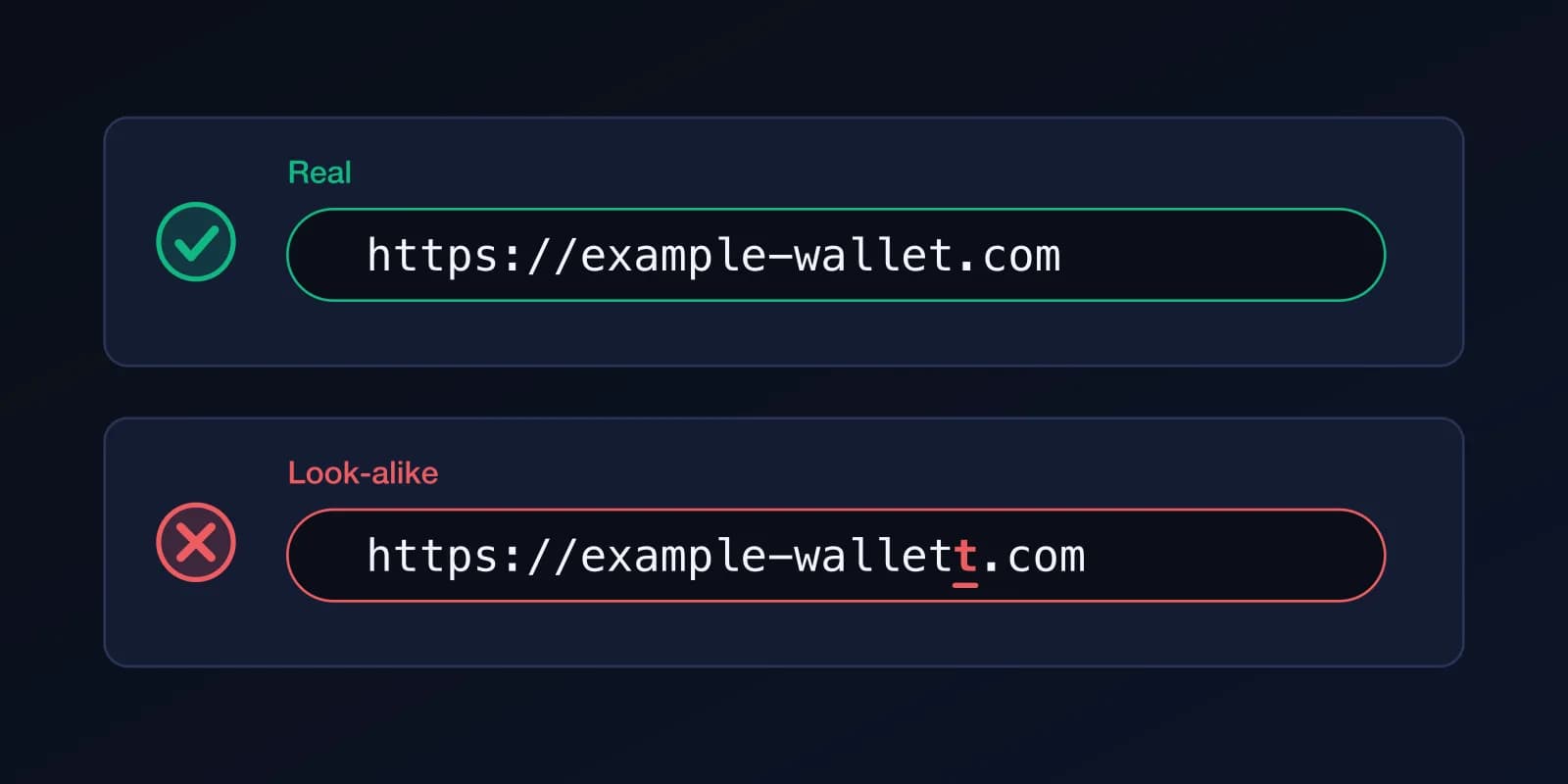
How do phishing sites and fake support steal crypto?
A look-alike website, a fake airdrop, a direct message from "support" or an ad above the real search result asks you to "verify" or "restore" your wallet by entering your recovery phrase or connecting to a malicious page. Real support teams never ask for your phrase. Ethereum's security guidance warns about fake support staff, spoofed links and unknown senders (ethereum.org).
What is stolen: your seed phrase, your password, or a signature that gives the attacker access.
- Type the address of wallet and exchange sites yourself or use a bookmark; do not follow links from ads or messages.
- Never enter a seed phrase into any website or chat. No legitimate service needs it.
- Treat anyone who contacts you first about your wallet as a scammer, however official they look.
How is a seed phrase stolen?
Besides phishing, phrases leak because they were stored carelessly: a screenshot or photo that syncs to cloud photos, a note in a notes app, an email to yourself, a password manager entry on a compromised account. Ethereum's guidance specifically says not to screenshot your phrase because it can sync to cloud services (ethereum.org).
What is stolen: the phrase itself, which means the whole wallet, permanently.
- Write the phrase on paper, keep it offline, and never photograph or type it into a device that is online.
- Do not store it in notes, email, chat or cloud storage.
- Consider a wallet that does not depend on a phrase to start (see below), or keep the phrase only as an offline backup.
What is the risk from fake wallet apps and browser extensions?
Counterfeit apps and extensions copy the name and icon of a real wallet and appear in store search results or in ads. Some ask for your phrase on first launch; others look normal and quietly change the address you send to. Extensions are especially sensitive because they can read the pages you visit.
What is stolen: the phrase or key you type in, or every transaction you approve, because the "wallet" is the attacker's software.
- Install wallets only from the link on the maker's own website, and check the publisher name and the number of reviews and downloads.
- Do not install a wallet because a stranger or an ad recommended it.
- Keep few extensions installed, and remove those you do not use.
What are malicious approvals and drainer signatures?
Many apps ask you to approve a contract to spend your tokens. A malicious site shows a normal-looking button, such as "claim" or "verify", behind which is an unlimited spending approval or a signed message that lets the attacker move your assets. No password or phrase is stolen; you did the signing yourself. This is the attack that every wallet type, including smart accounts, is exposed to. (ethereum.org)
What is stolen: nothing at first. You are tricked into granting permission, and then the attacker takes the tokens.
Ethereum's security guidance advises setting spending limits to only what a transaction needs and revoking old approvals with a dedicated tool (ethereum.org).
- Read what the wallet asks you to sign. If it mentions approving unlimited spending, or you do not understand it, reject it.
- Use a separate wallet with a small balance for new or unknown apps.
- Review and revoke old approvals from time to time.
What are address poisoning and clipboard malware?
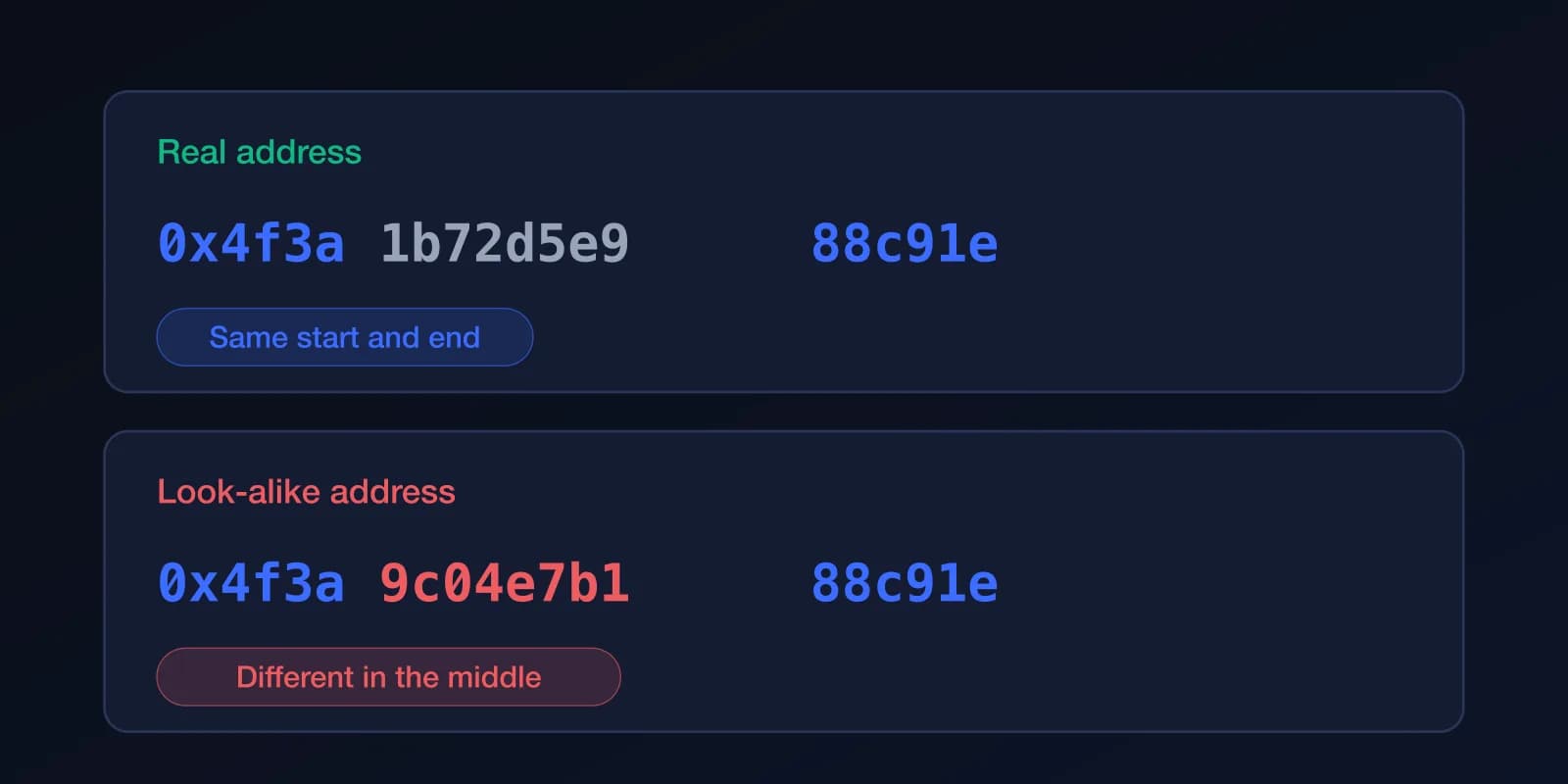
In address poisoning, an attacker sends you a worthless transaction from an address that starts and ends with the same characters as one you use, hoping you later copy it from your history. Clipboard malware silently swaps the address you copied for another when you paste. Either way, transactions cannot be reversed. (Chainalysis)
What is stolen: the payment itself, which is sent to the attacker's address instead of the intended one.
Ethereum's guidance is to check that the address you are sending to exactly matches the intended recipient before every transaction (ethereum.org).
- Compare the whole address, not just the first and last characters.
- Do not copy addresses from your transaction history; use a saved contact or the recipient's own message.
- For a new recipient, send a small test amount first.
How does a SIM swap steal from exchange accounts?
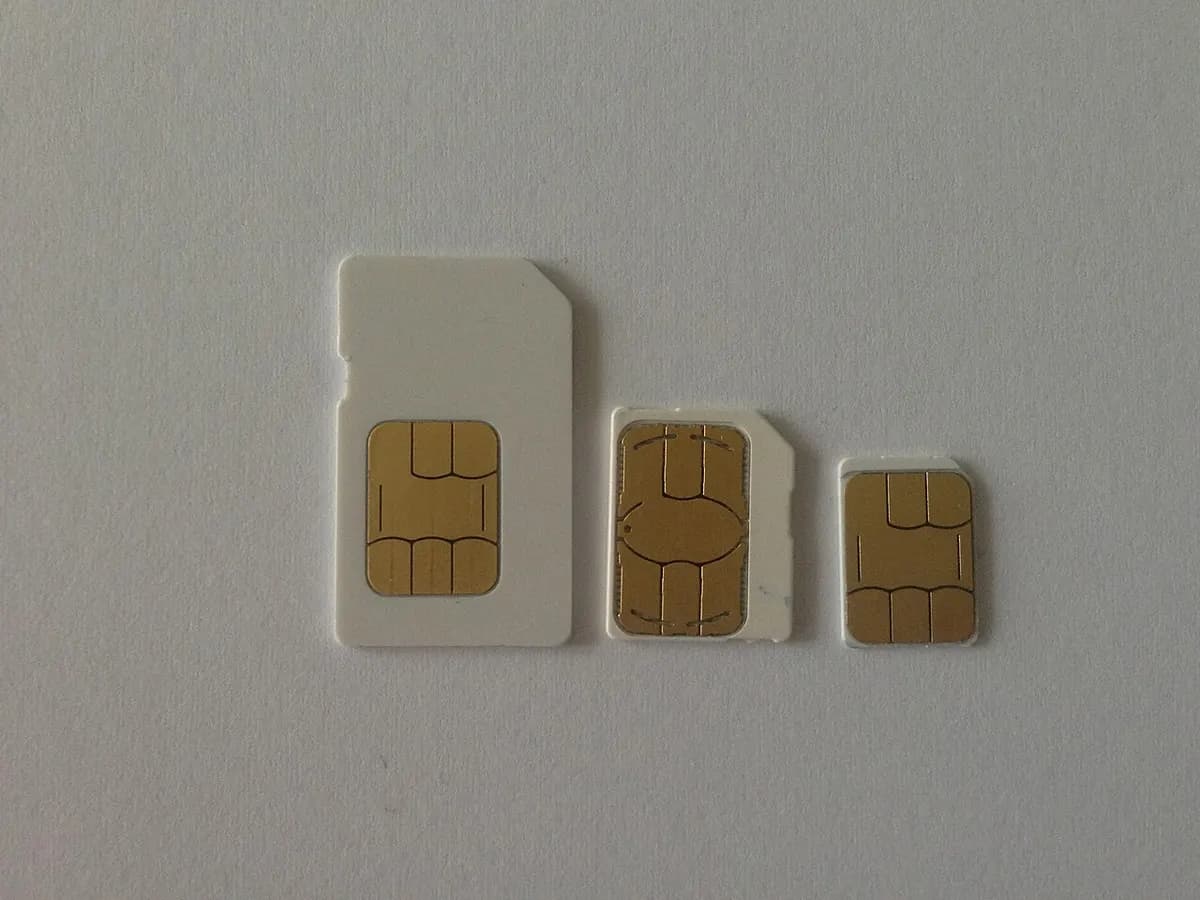
In a SIM swap, a criminal convinces your mobile carrier, or an employee, to move your phone number to a SIM they control. They then receive your SMS login and reset codes, reset passwords and withdraw. It targets custodial accounts that rely on a phone number. The FBI tracks SIM swapping as its own crime type in its annual report (FBI IC3). (FBI IC3)
What is stolen: access to your exchange or email account, which then holds your funds.
- Use an authenticator app, a passkey or a hardware security key instead of SMS for exchange and email accounts.
- Ask your carrier to add a PIN or port-out lock to your number.
- Keep large holdings in self-custody rather than on an exchange.
How does malware on your device steal crypto?
Infostealers and remote-access tools arrive through pirated software, fake installers, malicious attachments or files sent by "recruiters" and "investors". They search for wallet files, browser data and clipboard contents. A wallet on an infected computer is only as safe as that computer.
What is stolen: keys, phrases, saved passwords or the content of transactions, depending on the malware.
- Keep the operating system and apps updated, and install software only from official sources.
- Do not open files or install tools sent by people you have not verified.
- Use a hardware wallet for larger amounts, so the key never sits on the computer. (ethereum.org)
What does a passkey smart-account wallet change?
A passkey wallet such as InfraIO Wallet changes where the weak points are, and removes several of the ones above by design:
- No seed phrase to phish by default. You start with a passkey, not 12 words, so there is nothing to type into a fake site, photograph or leave in a cloud note. A recovery phrase is optional.
- A passkey cannot be typed into a look-alike site. It only works with the app or website that created it, which defeats the classic fake-login page. Details are in passkey wallets vs seed phrases. (W3C WebAuthn, NIST SP 800-63B)
- The key stays on your device. The private part is held by your device or passkey manager and is unlocked with Face ID, a fingerprint or your passcode; it is never shown to you or to the app. (Apple)
- Backup passkeys. You can add another device or passkey manager, so losing one phone does not mean losing the wallet, and you do not have to keep a phrase in a drawer.
- No phone number involved. Payments are approved with a passkey, not an SMS code, so a SIM swap does not give an attacker access.
- Multisig is coming soon. InfraIO Wallet will let you add other signers, such as a second passkey or another wallet, and require 2 of 3 or similar before anything moves, so one stolen key or device is not enough. This is not available yet.

What does a passkey wallet not protect against?
Be honest about the limits. A passkey wallet does not stop you from approving a harmful transaction. If you confirm a malicious approval with Face ID, the wallet does what you told it to, exactly as any other wallet would. It also does not protect you from sending funds to a poisoned address, from a device so compromised that an attacker can operate it while it is unlocked, or from a scammer who talks you into sending money yourself.
InfraIO Wallet has not been through an external security audit yet, so treat it like any new software: start with small amounts and keep the habits above. The best defence is still to slow down, read what you are signing and trust no one who contacts you first.
Keep reading: Passkey wallets vs seed phrases, What is a multisig wallet?, Why InfraIO Wallet, InfraIO Wallet