
What is the InfraIO Wallet app?
It is a self-custody wallet for your own money. Self-custody means the keys stay with you, so nobody at InfraIO Wallet can move, freeze or approve anything for you. If you are new to wallets, start with What is a crypto wallet?.
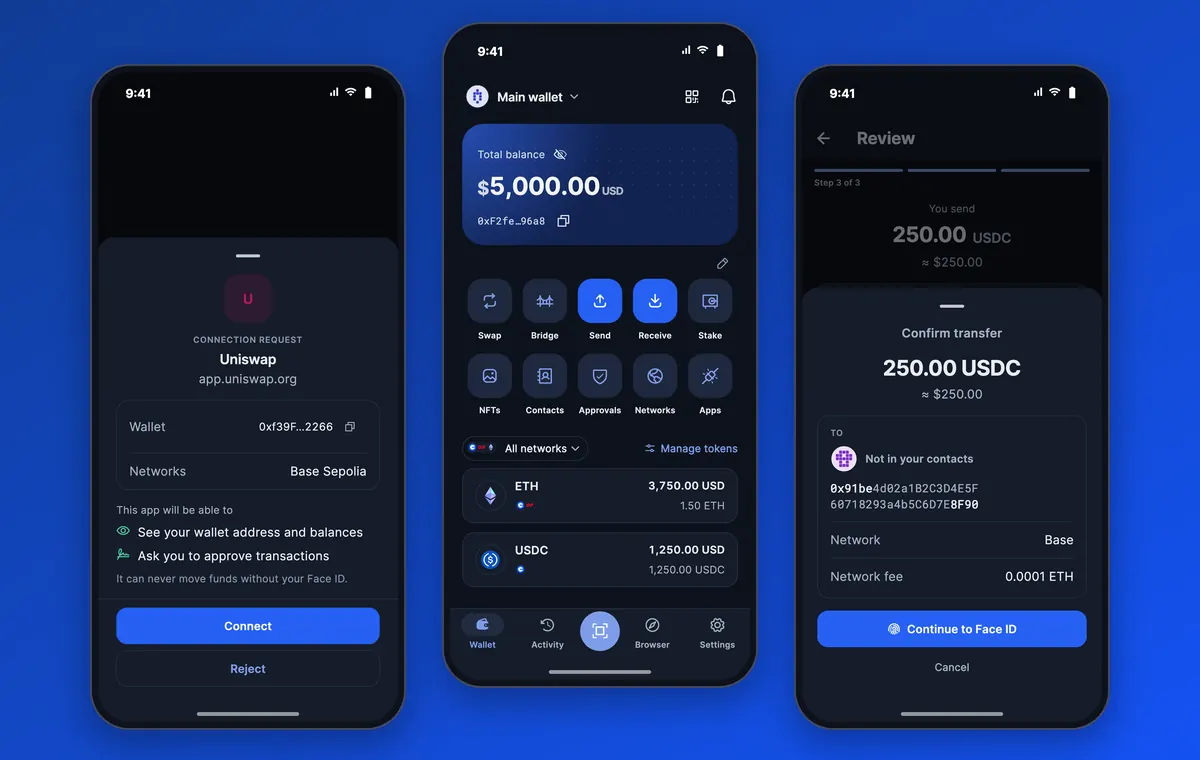
The screens below use demo data and a made-up balance.
How do you open your wallet without a seed phrase?
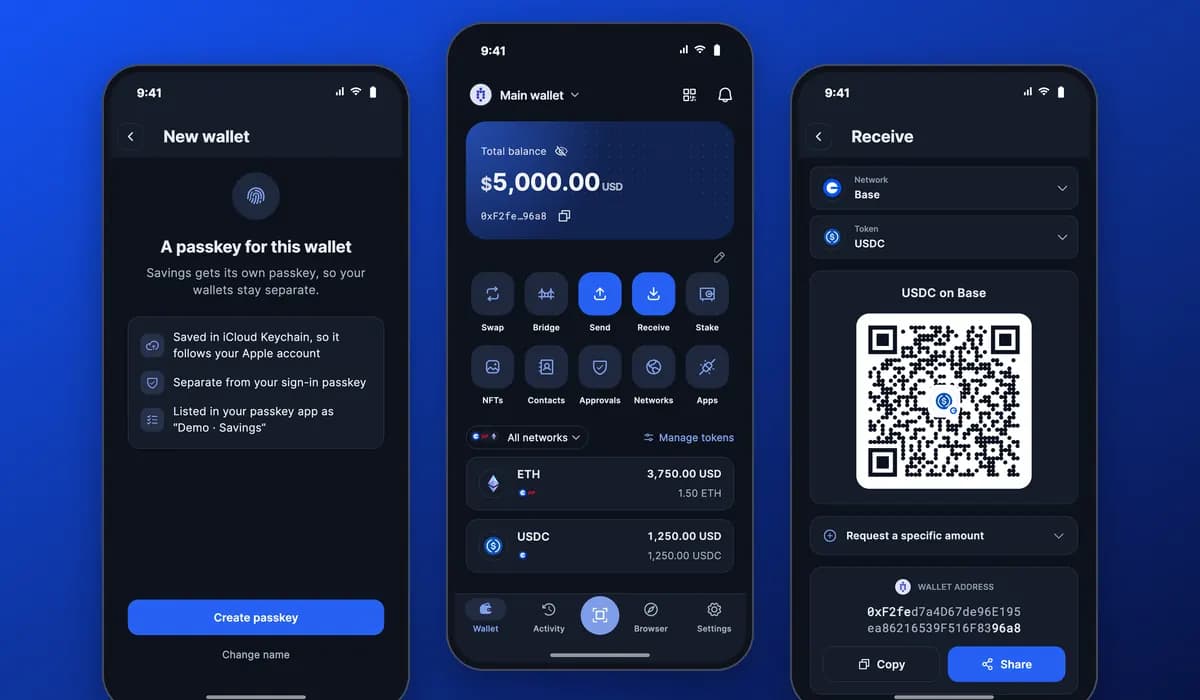
With a passkey. When you create a wallet, you give it a name and then create a passkey that you approve with Face ID, a fingerprint or your device passcode. That is all you need to get started. There are no 12 or 24 words to write down on the first day.
The passkey is saved in your password manager, such as iCloud Keychain, and it is separate from the passkey you use to sign in. It is a good idea to add a backup passkey on a second device. A recovery phrase is optional for this kind of wallet: the app suggests it and you can skip it. For the full picture, read passkey wallets vs seed phrases.
How do you send and receive crypto?
To receive, open Receive, choose the network and the token, and show the QR code or copy the address. You can also ask for a specific amount.
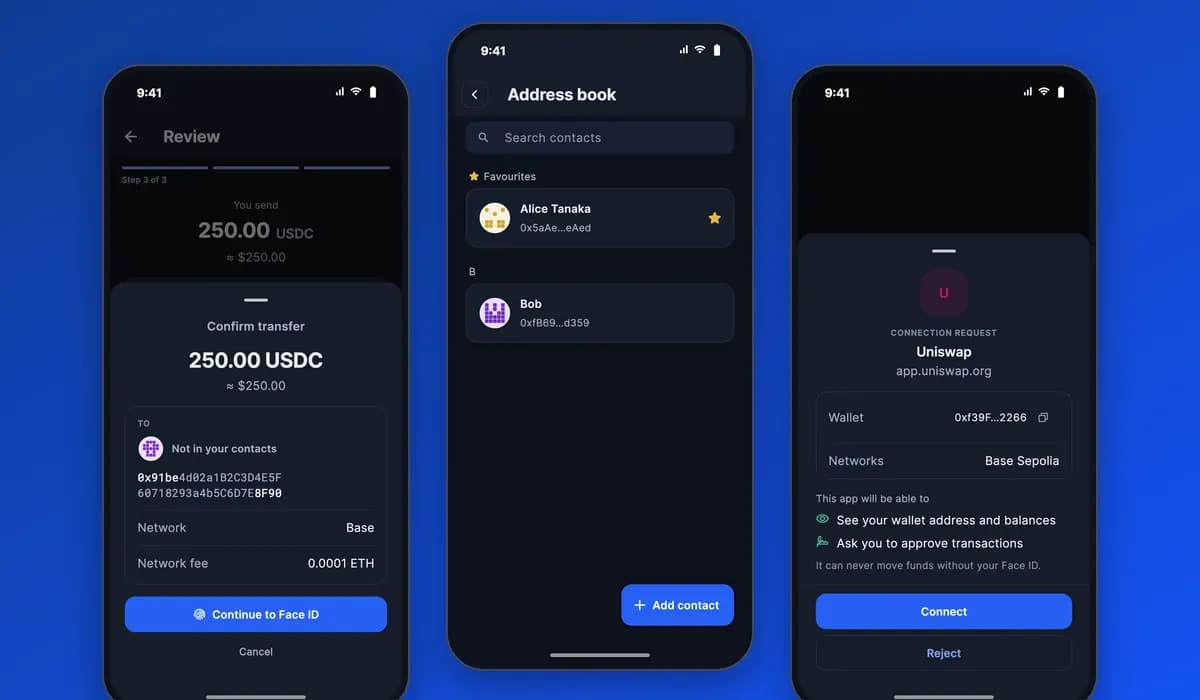
To send, open Send and follow three steps: choose who gets it, enter the amount, then review. The review shows the amount, the recipient and the network fee. You confirm with Face ID, and the wallet shows a transfer as sent only after the network has confirmed it.
- Receive: pick the network and token, then share the QR code or the address.
- Send: recipient, amount, review, then confirm with Face ID.
- Check: the transfer shows its status and a link to look it up on a block explorer.
Which networks does it support?
InfraIO Wallet works on Ethereum-compatible networks such as Ethereum, Base and Optimism. Your wallet has one address, and it is the same on every supported network. The Networks screen shows which ones you can use. Always make sure the sender uses a network the wallet supports, because funds sent on an unsupported network can be lost.
On the home screen you can look at all networks together or pick one, and your balances follow the network you choose.
How do you connect to apps and pay at a checkout?
Many apps and websites let you connect a wallet with WalletConnect. In the wallet you open Connected apps, scan the code or paste the link, and read what the app is asking. The connect screen tells you what the app will be able to see, your address and balances, and that it can only ask you to approve transactions. It can never move funds without your Face ID.
You can use the same idea to pay at a crypto checkout, such as a payment link from a shop that uses InfraIO Pay: connect or scan, check the amount and the network, and approve. Connect only to sites you trust. You can see every connection in Connected apps and disconnect it with one tap.
How do contacts work?
The address book keeps the people you pay often, with a name next to each address. You can mark favourites and search by name or address. When you send to an address that is not saved, the review screen says it is not in your contacts, and you can choose to save it with a name. This makes it harder to pay the wrong address by accident.
How do you share your wallet as a QR code?
Receive gives you a QR code for your address that anyone can scan. You can also share a card with the QR code and your address, ready to send in a chat. The card reminds the sender to use a supported network. Because the address is public, sharing it does not put your funds at risk. Never share a recovery phrase or approve a request you do not understand.
How is a passkey wallet different from a seed-phrase wallet?
Both are self-custody. The difference is what you have to protect.
| Passkey wallet (InfraIO Wallet) | Typical seed-phrase wallet | |
|---|---|---|
| How you start | Create a passkey with Face ID or a fingerprint | Write down 12 or 24 secret words |
| What can be phished | No phrase to type into a fake site | Anyone with the words can take everything |
| Backup | Add a backup passkey; recovery phrase optional | The words are the only backup |
| Who holds the keys | You, on your own devices | You |
When can you get it?
The InfraIO Wallet app is coming soon to the App Store and Google Play. Nothing is available to download today. You can follow the latest on the InfraIO Wallet page. If you run a shop and want to be paid in stablecoins, see the InfraIO Pay app and the pricing page.